Missed handoffs
The office books a customer but the technician does not see an updated scope, contact or access instructions. Use a system where each appointment is linked to a detailed work order.
SCHEDULING & DISPATCH BUYER GUIDE
Compare how scheduling tools organize visits, assign technicians, handle urgent calls and keep customers informed.
Independent buyer guidance · No invented star ratings · Affiliate disclosure
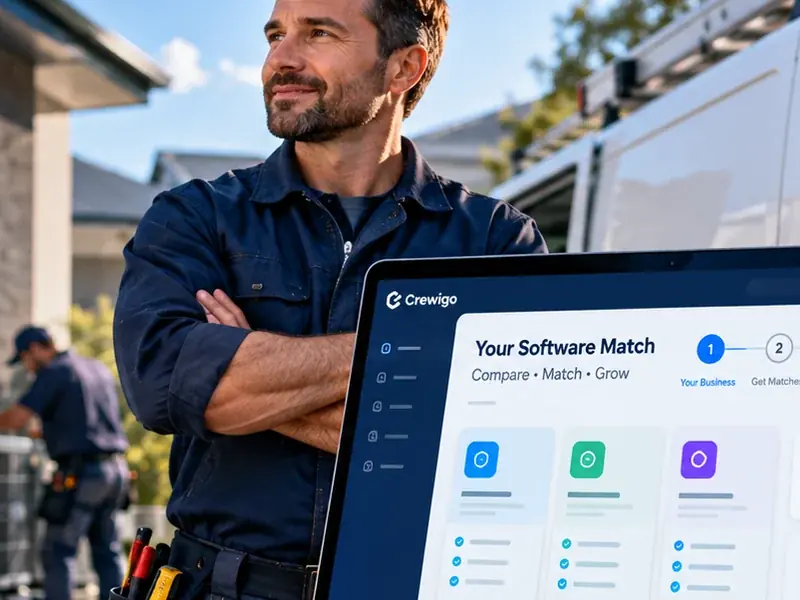 Choose by workflow, not hype
QUICK COMPARISON
| Product | Most relevant workflow | Evaluate carefully | More |
|---|---|---|---|
| Jobber | Service-team calendar, recurring visits and customer communication | Test how booking and availability work at your team size. | Review → |
| Housecall Pro | Home-service appointment booking and technician dispatch | Check the exact workflow for emergency reshuffles and technician messages. | Review → |
| ServiceTitan | Dispatch operations with multiple roles and deeper coordination | Confirm onboarding, permissions and reporting requirements. | Review → |
| ServiceM8 | Mobile-first jobs, scheduling and dispatch | Confirm mobile device compatibility and service volume limits. | Review → |
| FieldEdge | Trade dispatch integrated with service operations | Validate desired accounting integration and dispatch board behavior. | Review → |
A scheduling calendar answers when a job is planned. Dispatching additionally answers who goes, when they leave, what they need, and what happens when the plan changes. Confirm every step during the trial; vendor feature lists alone are insufficient.
REAL PROBLEMS
The office books a customer but the technician does not see an updated scope, contact or access instructions. Use a system where each appointment is linked to a detailed work order.
A late emergency displaces several jobs. A dispatch view should make technician availability, travel and customer notifications easy to update.
Maintenance visits need frequency, job history, assigned crew, reminders and predictable invoicing. Test what happens when one occurrence is postponed.
Completed jobs sit for days because field status and billing are recorded in different systems. Track the transition from job completion to invoice generation.
PRODUCT FIT
Crewigo may earn a commission when you use these links.
Jobber documents a jobs-and-visits calendar, crew assignment and recurring-work support. Consider it if appointment planning must connect directly to quotes and invoices.
Check before buying: Test time windows, crew availability, mobile alerts and what is included in your plan.
Housecall Pro is positioned around booked visits, dispatch and estimates. Evaluate it where the office receives calls and needs to assign a crew quickly.
Check before buying: Simulate a cancellation and emergency insertion; inspect customer communications and field status.
ServiceTitan provides trade dispatch workflows that may fit larger teams with separate call-takers and dispatchers.
Check before buying: Request a guided demo with your role structure, technician availability and reporting requirements.
ServiceM8 documents dispatch-board job scheduling and a mobile workflow for assigned jobs. Consider it for small teams managing quick field visits.
Check before buying: Verify your fleet’s iOS/Android needs, complex scheduling rules and job volume.
FieldEdge is a candidate for trade dispatch coupled with field operations and accounting workflows.
Check before buying: Ask for a real scheduling demo and verify the exact accounting and pricebook configuration.
Links to providers are commercial referrals where configured. The comparison is based on workflow suitability, not invented product test scores.
CAPACITY PLANNING
This calculator estimates booked visits from technician time and typical appointment length. It is an illustrative planning tool, not a route optimizer or a guarantee of capacity.
Formula: effective hours = technicians × hours × availability% × utilization%; visits = floor(effective hours ÷ (job hours + travel/admin hours)). This simplified model ignores geography, job variability, call priority, shift constraints and cancellations.
TEAM-SIZE PLANNING
| Technicians | Daily scheduling challenge | Demo test |
|---|---|---|
| 1 | Owner balances calls, field work and invoicing | Move one job without losing customer notes or reminders |
| 3 | Jobs overlap with drive time and technician skills | Reassign an urgent request and notify the displaced customer |
| 5 | Team availability, recurring work and cancellations | Reschedule a recurring visit without changing its future series |
| 10 | Dispatcher visibility, access roles and reporting | Have two office users update the board while technicians close jobs |
This is a sample buying scenario. Route optimization, automated SMS and real-time dispatch behavior vary by provider and plan.
DEMO WORKFLOW
Book a same-day request for a technician with a specific skill, then move it. Confirm skill restrictions, job duration assumptions and alerts work as expected.
Review appointment confirmations, arrival updates and reschedule notices. Ask which channels require extra fees and when customer consent is needed.
Create a quarterly service agreement visit, postpone one occurrence and confirm that future visits and invoice reminders remain correct.
Have a technician open a job, check instructions, attach a photo, mark it completed and create the final invoice without office reentry.
If geography matters, compare estimated travel against actual traffic and test route-related capabilities with addresses in your service area.
Measure jobs scheduled, jobs completed, drive time, overdue visits, no-shows and outstanding invoices, where supported.
EXAMPLE TEAMS
One dispatcher or owner books work and three technicians complete visits. Simplicity, customer reminders and minimal repeat data entry matter more than complex role permissions.
Several office staff take calls while dispatchers reassign crews throughout the day. The buying decision should include dispatch-board ergonomics, access controls, service zones and reporting.
A company sells inspection or maintenance visits. Test recurring bookings, customer history, exception handling, reminders and billing triggers.
These scenarios are examples to structure a software demo; they are not claims of hands-on vendor performance.
SCHEDULING FAQ
It is software for planning visits and technician assignments. Many products also connect scheduling to customer records, work orders, dispatch, quoting and invoicing.
Scheduling allocates an appointment to a time and resource. Dispatching coordinates technician assignment, work status, travel and changes while jobs are underway.
Many tools support recurring visits, but their billing rules, skip behavior and contract models differ. Test a real maintenance agreement before choosing.
Not always. A calendar or map display is not necessarily route optimization. Ask the vendor for a live routing demonstration and verify limits.
Both. A feature that office staff and technicians cannot use reliably adds complexity. Test the exact daily workflow with real users and realistic schedule changes.
Estimate hours saved in booking, rescheduling, technician communication and billing; include monthly fees and onboarding. Use conservative assumptions and measure after deployment.
RELATED RESOURCES
Sources and research notes: Product functionality should be checked with the vendors, and plan inclusions may change.
Compare business size, trade, operational needs and preferred workflows through Crewigo’s free finder.