SOFTWARE BUYER GUIDE · HVAC

HVAC Estimating Software for Repairs and Installations

HVAC estimating must distinguish a quick service repair from an equipment replacement. Repair options often follow a pricebook; a replacement estimate has equipment, permits, labor, disposal and financing assumptions.

Independent research · Workflow-first comparisons · Our methodology

HVAC professional working in the fieldCompare how work actually gets done

COMPARE BY WORKFLOW

Software worth evaluating for hvac estimating software

These are research candidates—not universal winners. The right choice depends on your team size, actual work type, plan entitlements and how a job passes between the office and field.

SoftwarePublished focusPractical buying testProfile
ServiceTitanTrade-business dispatch, proposals, agreements and operating reportsRequest a guided walkthrough with office, dispatcher and field user roles plus the full implementation quote.Review →
Housecall ProResidential service operations, customer communications and technician workflowAsk the vendor to show the exact feature on your plan and its interaction with dispatch and payment collection.Review →
JobberClient records, quotes, scheduling and visit-to-invoice workflowRun one complete request → quote → job → invoice cycle and confirm which plan exposes each step.Review →
FieldEdgeHVAC and trade dispatch with accounting-oriented workflowsDemonstrate the dispatch board, technician app and the accounting connection using sample records.Review →
FieldPulseConfigurable field-service jobs, estimates, customer records and schedulingTest your actual job statuses, estimate format, dispatch calendar and mobile completion flow.Review →

On a phone, swipe the table horizontally to see all columns. Prices and plan eligibility can change; request a written quote before purchasing.

FIELD WORKFLOW

What the software must handle

Service repair quotes vs installations

For hvac teams considering hvac estimating software, use repair versus replacement proposal as the test case. Document the starting status, who makes the decision, the customer-facing output and the record the next worker will see.

Map the actual sequence from customer request to approved work. Write down the exact event that creates a job, the owner of the next step, and what data must not be typed twice.

Ask the vendor to show the oldest open record alongside a brand-new request. A good workflow keeps ownership and status visible rather than hiding exceptions in comments.

Equipment and labor estimates

For hvac teams considering hvac estimating software, use equipment options as the test case. Document the starting status, who makes the decision, the customer-facing output and the record the next worker will see.

Create two operational examples with conflicting priorities and note which fields influence the decision. There should be an explicit path for urgent work, rescheduling and customer communication.

Measure whether the workflow changes cleanly after a cancellation or a second visit is required. A static demonstration of an empty calendar is insufficient.

Pricebook use

For hvac teams considering hvac estimating software, use quote-to-work-order as the test case. Document the starting status, who makes the decision, the customer-facing output and the record the next worker will see.

Test the office view and the field view separately. Ask which changes synchronize instantly, what happens without connectivity, and whether user permissions are understandable.

Use at least three realistic records and a technician who did not configure the system. Hidden setup dependencies often surface immediately.

Client options and approvals

For hvac teams considering hvac estimating software, use repair versus replacement proposal as the test case. Document the starting status, who makes the decision, the customer-facing output and the record the next worker will see.

Check the underlying economics or data ownership: which record is authoritative, how corrections propagate and whether an approved change can be audited later.

Run a revision, partial completion and unexpected cost through the system; the resulting customer and accounting records should agree.

Margin and takeoff

For hvac teams considering hvac estimating software, use equipment options as the test case. Document the starting status, who makes the decision, the customer-facing output and the record the next worker will see.

Put a small-team scenario next to a multi-crew scenario. Identify the point where manual coordination stops working and which paid feature solves that exact constraint.

Compare annual total cost including required users, implementation, integrations and add-ons. A promotional starting price is not an equivalent quote.

Vendor comparison

For hvac teams considering hvac estimating software, use quote-to-work-order as the test case. Document the starting status, who makes the decision, the customer-facing output and the record the next worker will see.

Request a real-world demonstration using your own categories, team roles and exceptions, not a polished vendor dataset. Record which tasks required manual workarounds.

Keep a scored checklist with pass/fail evidence for your five highest-impact workflows, and check contract cancellation, data export and support terms.
REALISTIC TEST

A decision scenario for your vendor demos

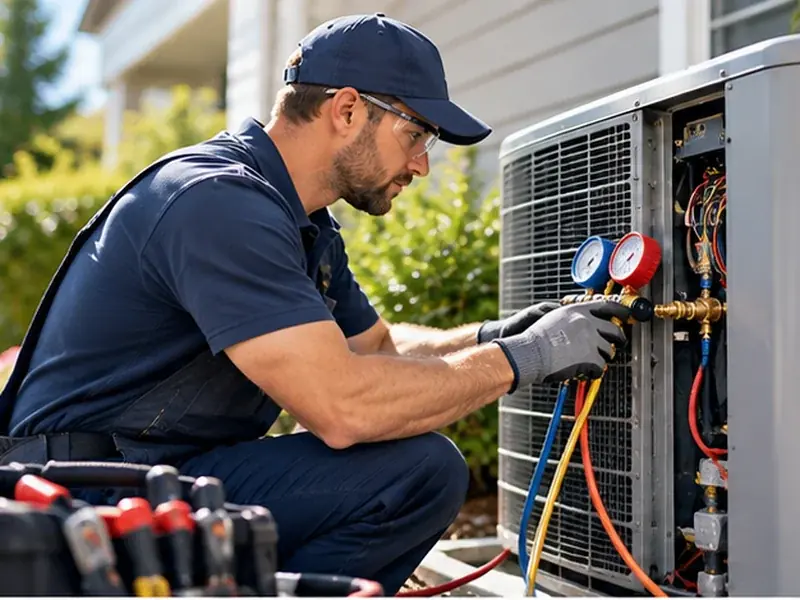
A technician diagnoses a failed compressor and must present repair, mid-range replacement and high-efficiency replacement options. Test itemized costs, approvals and the handoff to equipment ordering.

Keep scope alternatives explicit. A repair-versus-replace proposal needs comparable options and warranty conditions, not simply a single estimate total.

Keep a simple scorecard

  • Estimate revision time: define how your team measures it today, then reproduce the same report or activity in a vendor trial.
  • Approved quote gross margin: define how your team measures it today, then reproduce the same report or activity in a vendor trial.
  • Change-order value after approval: define how your team measures it today, then reproduce the same report or activity in a vendor trial.

SHORTLIST

Evaluate these five platforms

Use your own workload and verify product scope in the vendor documentation. A feature named on the marketing site may be limited by plan, region, integration or implementation.

Crewigo may earn a commission when you use these provider links.

ServiceTitanReview candidate

Trade-business dispatch, proposals, agreements and operating reports. This makes it worth investigating for hvac estimating software; it does not establish that every feature is in the entry plan.

Verify in your demo: Request a guided walkthrough with office, dispatcher and field user roles plus the full implementation quote.

Housecall ProReview candidate

Residential service operations, customer communications and technician workflow. This makes it worth investigating for hvac estimating software; it does not establish that every feature is in the entry plan.

Verify in your demo: Ask the vendor to show the exact feature on your plan and its interaction with dispatch and payment collection.

JobberReview candidate

Client records, quotes, scheduling and visit-to-invoice workflow. This makes it worth investigating for hvac estimating software; it does not establish that every feature is in the entry plan.

Verify in your demo: Run one complete request → quote → job → invoice cycle and confirm which plan exposes each step.

FieldEdgeReview candidate

HVAC and trade dispatch with accounting-oriented workflows. This makes it worth investigating for hvac estimating software; it does not establish that every feature is in the entry plan.

Verify in your demo: Demonstrate the dispatch board, technician app and the accounting connection using sample records.

FieldPulseReview candidate

Configurable field-service jobs, estimates, customer records and scheduling. This makes it worth investigating for hvac estimating software; it does not establish that every feature is in the entry plan.

Verify in your demo: Test your actual job statuses, estimate format, dispatch calendar and mobile completion flow.

PURCHASE CHECKLIST

Seven questions to settle before signing

  1. Which step currently causes the most preventable manual work?
  2. Which roles need paid access: office staff, field technicians, managers or subcontractors?
  3. Can you export client, job and transaction records if you leave?
  4. What does the tool do when a task is postponed, canceled or re-opened?
  5. Which integrations are native, one-way, additional-cost or dependent on a higher plan?
  6. How long does onboarding take for your own data, staff and workflows?
  7. What is the realistic first-year price including every required module?

Make vendors demonstrate the decision scenario above on the edition you would actually buy. Avoid comparing a free trial with a higher-tier sales demo.

COMMON QUESTIONS

Frequently asked questions

Is HVAC quoting the same as HVAC estimating?

Customer-facing quotes can be produced from a cost estimate, but estimating also involves labor, material assumptions and margin validation.

Do I need takeoff tools?

Takeoff matters for drawing-based construction bids; a residential repair workflow may need a pricebook and a fast mobile proposal instead.

How do I compare vendor cost models?

Ask for seat, configuration, equipment catalog, proposal, payment and integration costs as one annual scenario.

Need a shorter shortlist?

Answer five questions about your trade, team and workflow. Compare the results against these buying criteria.

Open Software Finder →